Designing a remote upgrade flow and an audit log for air-gapped OT environments.
Upgrades involved OTORIO's dev teamA remote upgrade flow, designed so the Operations person can run it
No audit logAn audit log, specified and designed from scratch
Information designSeven days by default, five primary filters, more on demand
Company
OTORIO
Product
OT Security Platform
Type
B2B, On-premise
Role
Product Designer
Period
2021 to 2023
Overview
Industrial sites are air-gapped by design: no standard mechanisms exist for remote upgrades or activity monitoring.
OTORIO is an OT security platform, later acquired by Armis in 2025.
Two kinds of users depend on the remote access product. The Operations person keeps assets connected and up to date, and software updates meant shutting down the system and involving OTORIO's dev team. The Site Manager oversees multiple sites, and with no audit log had no way to see who accessed what, when, or prove compliance to an auditor.
Problem
The user is remote, the system is air-gapped, and something critical needs to happen, with no one on site to help.
User flows
The path each user takes through the product.
Operations person
Account Management
Choose package
Select servers
Track progress
Done
Site Manager
Login
Audit log
Filter by user/time
Drill down by asset
Find event
Export
Process
The upgrade flow was broken, and there was no audit log to reference.
I interviewed CS, Dev, and DevOps to map what was technically possible, and defined error states throughout the flow so the user is never left guessing. I also interviewed customers who work with audit logs daily to understand which filters they actually need, and in what order they search.
No reference point
No published flows exist for air-gapped OT upgrades.
Aligning teams
DevOps and Dev each had a partial picture. I mapped the flow before designing anything.
Audit log depth
Researched comparable systems to define what gets surfaced by default.
Design direction
Show the answer, not the data.
Real-time status per server, not a final summary. Filters follow the investigation order: user and time first, asset as a second layer. The user arrives knowing what they're looking for.
Two capabilities, one platform, each designed for a different trigger. The Site Manager arrives after an incident, looking for answers. The Operations person arrives after a notification, an update is ready and needs to run.
Based on interviews
Operations person
Responsible for keeping assets connected and up to date, hardware updates, connectivity checks, system upgrades.
Challenges
Needs to see which assets are connected and which aren't
Manages upgrades across sites
"I need to know what needs updating, and be able to do it without calling anyone."
Based on interviews
Site Manager
Oversees multiple sites and needs to verify everything is running correctly, no unusual connections, no anomalies.
Challenges
Manages activity across multiple locations
Needs to detect anomalies fast
"I need to know that nothing happened that shouldn't have."
Design: Remote upgrade
The Operations person needs to run an upgrade remotely, without R&D involvement.
An upgrade shuts the system down, one account at a time. So every step has to feel deliberate.
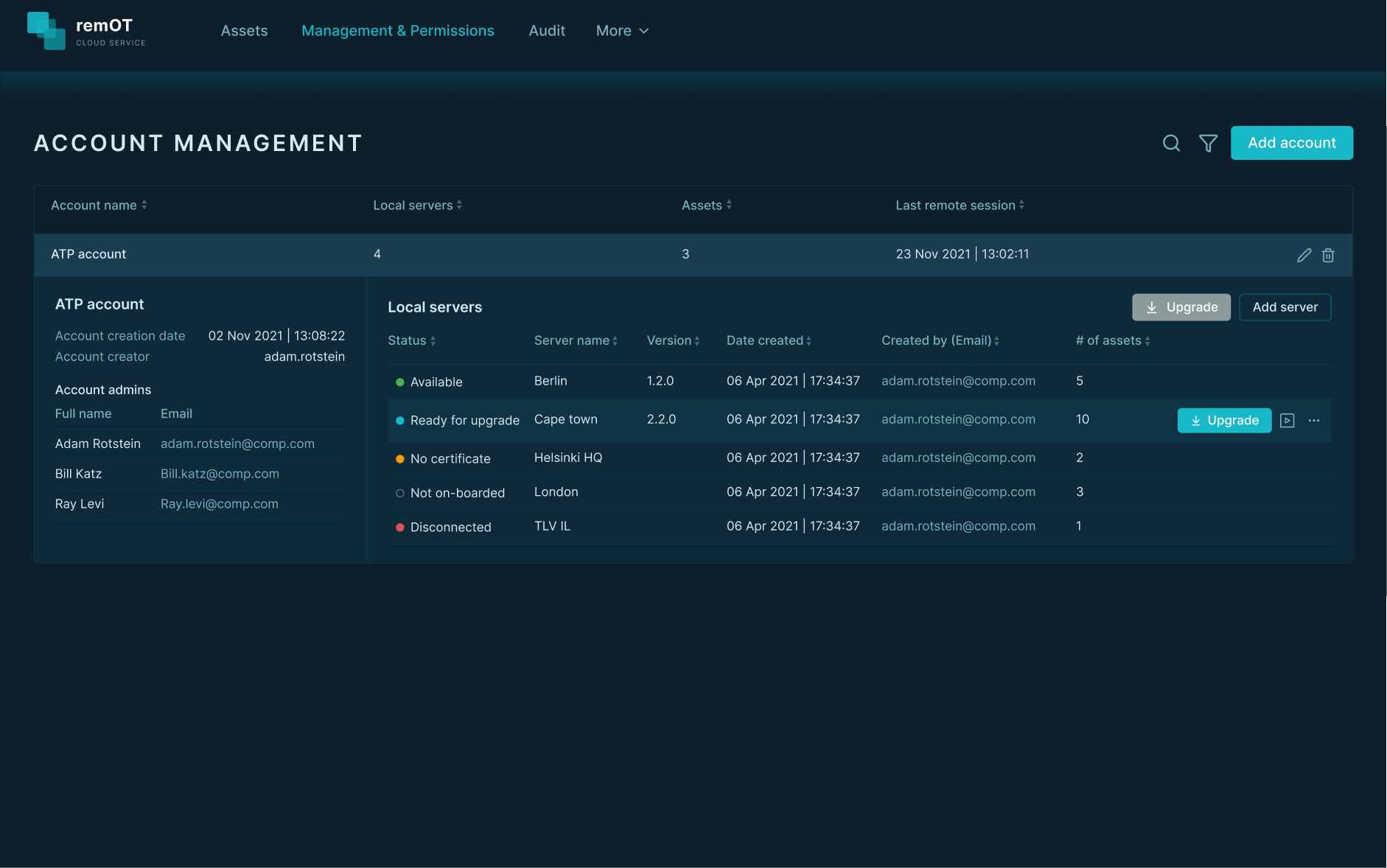
Each account with its local servers and their statuses: where an upgrade starts.
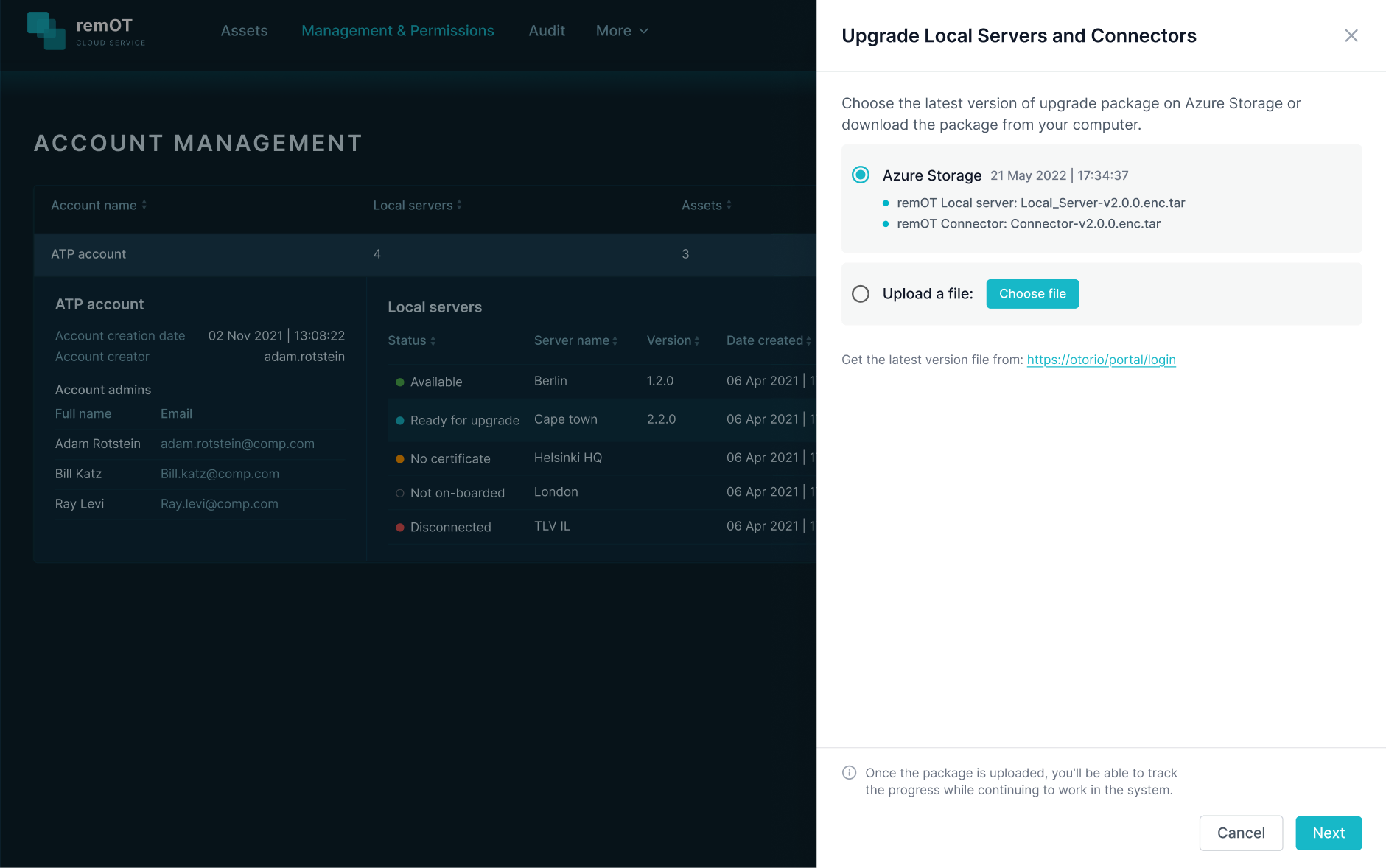
Two upgrade paths at equal weight: Azure Storage or manual file upload. In air-gapped environments, the file upload path isn't a fallback.
Two upgrade paths at equal weight: Azure Storage or a file upload.
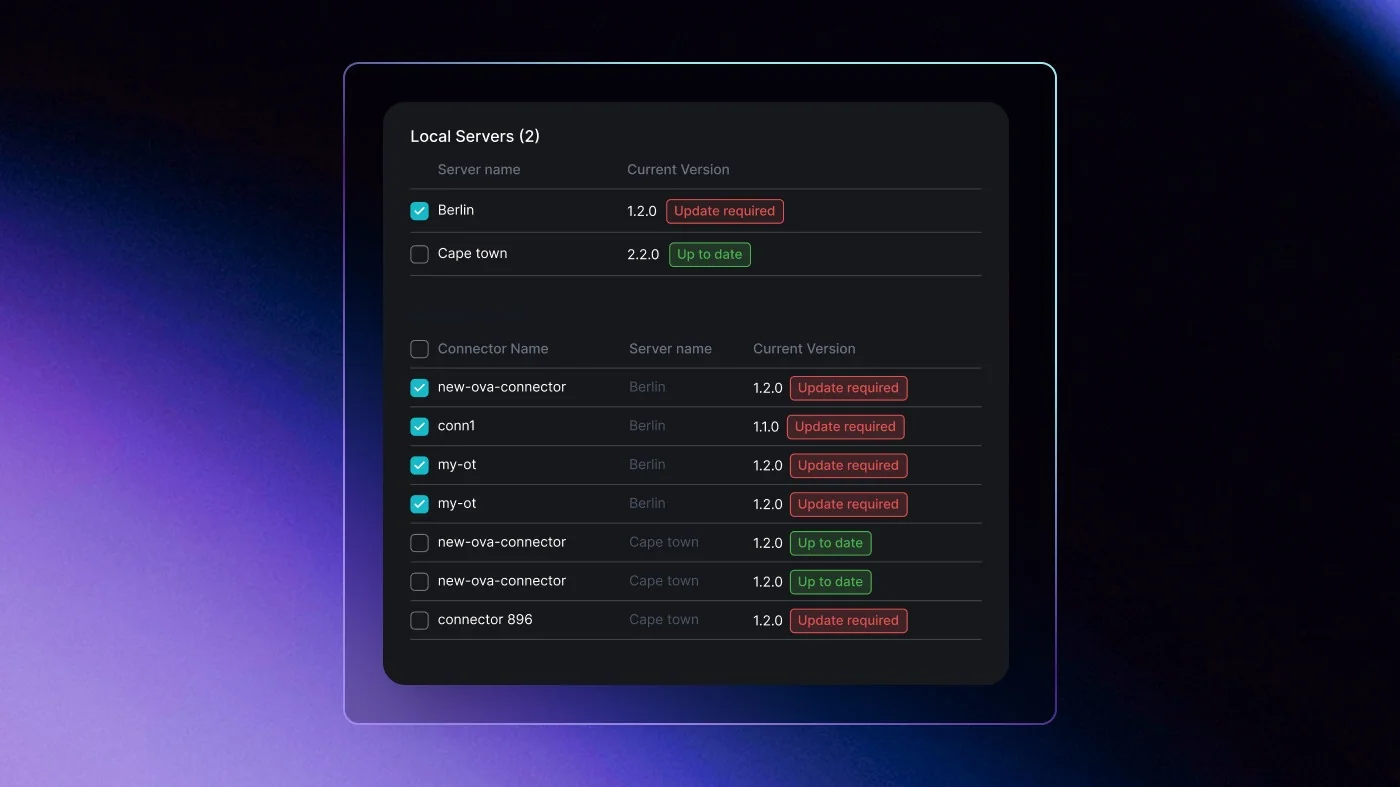
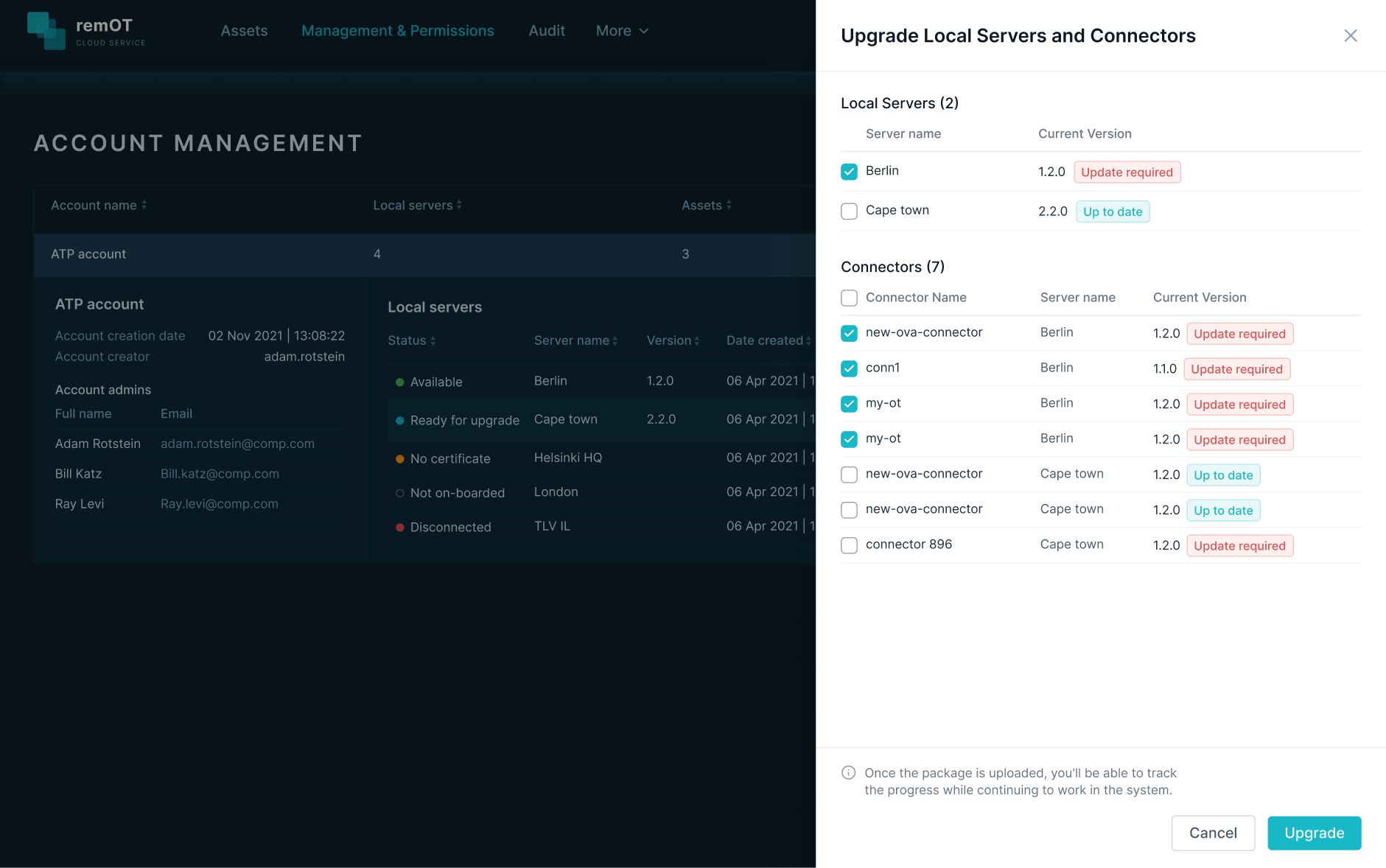
"Update required" vs "Up to date" is pre-calculated before the user arrives. The user sees a decision, not a diagnostic. Local Servers and Connectors listed separately, each with its own status.
Local Servers and Connectors listed separately, each marked Update required or Up to date.
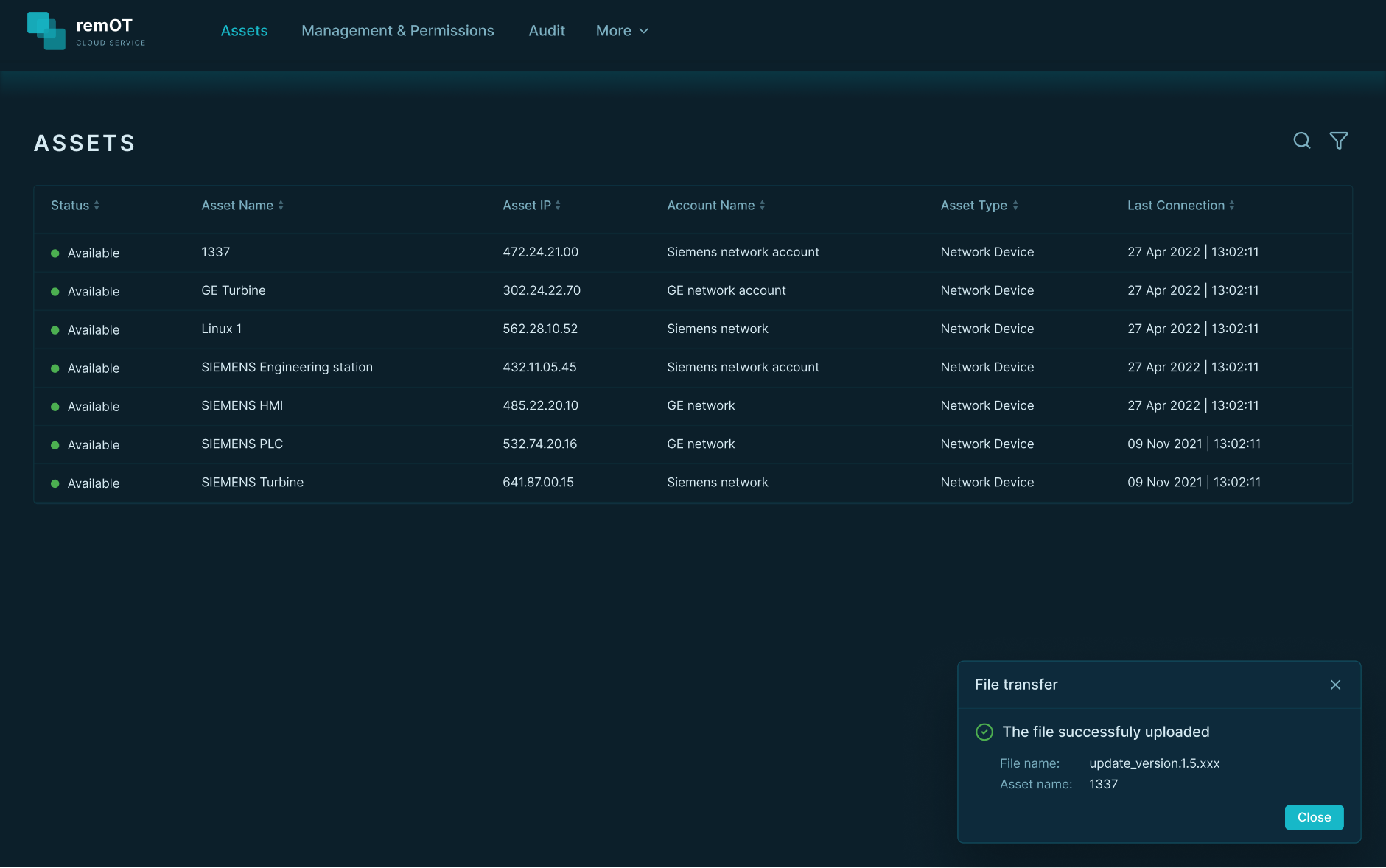
The process runs in the background. The user doesn't wait: a minimized notification keeps them informed without locking the interface.
The upgrade runs in the background; a small notification reports it.
Design: Audit log
User and time first, that's always the first question.
The Site Manager arrives after something happened. They need answers fast.
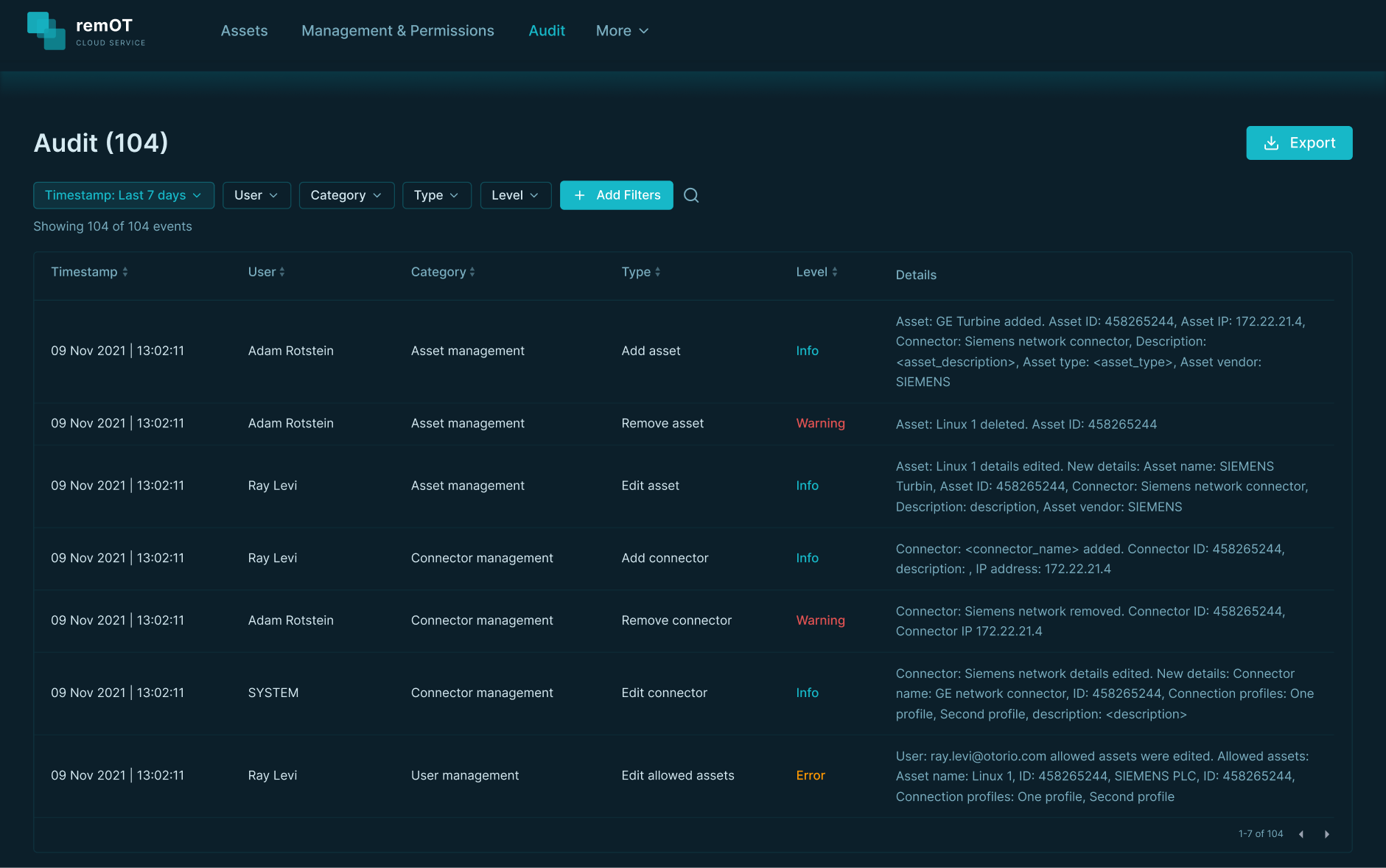
Everything that compliance documentation requires is logged: that's a lot of data. Defaulting to 7 days prevents the Site Manager from arriving to an overwhelming table.
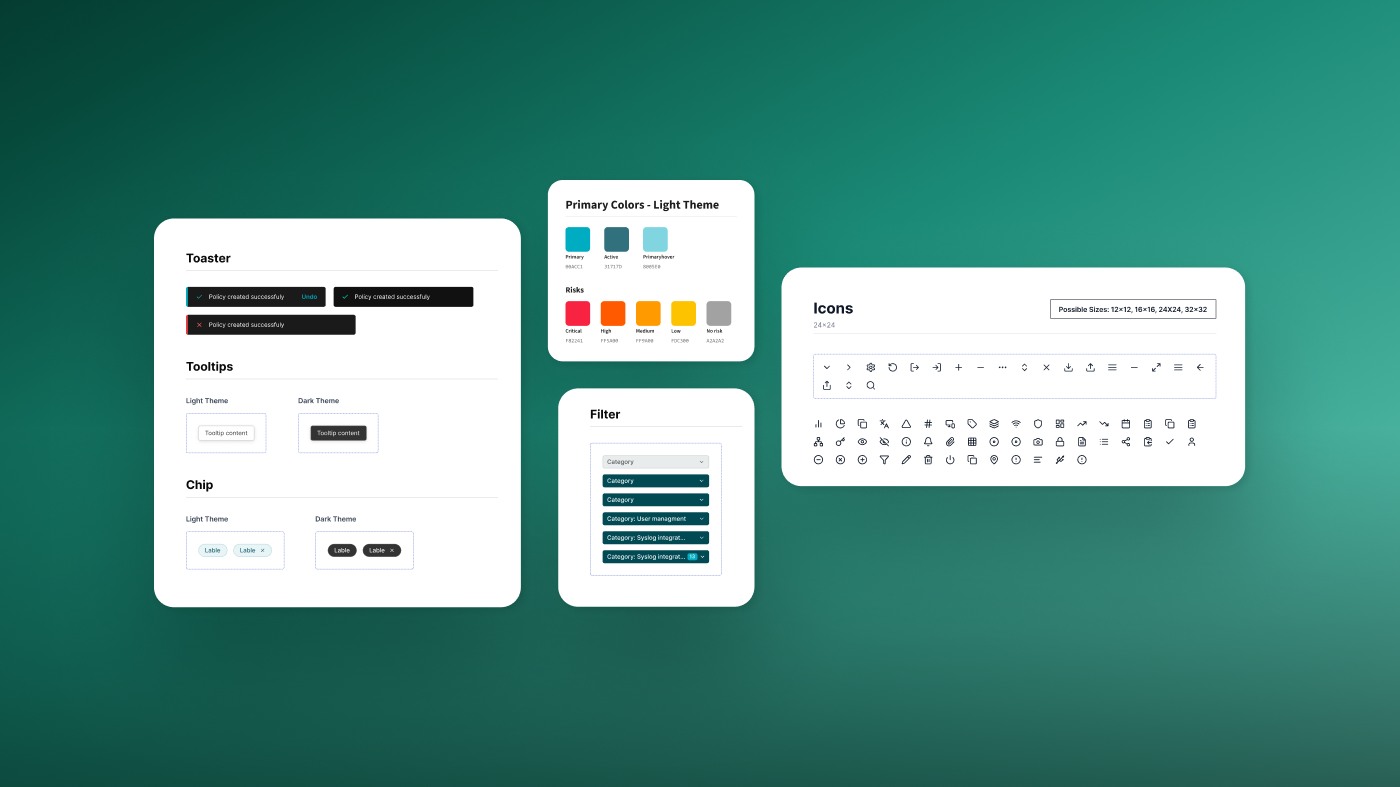
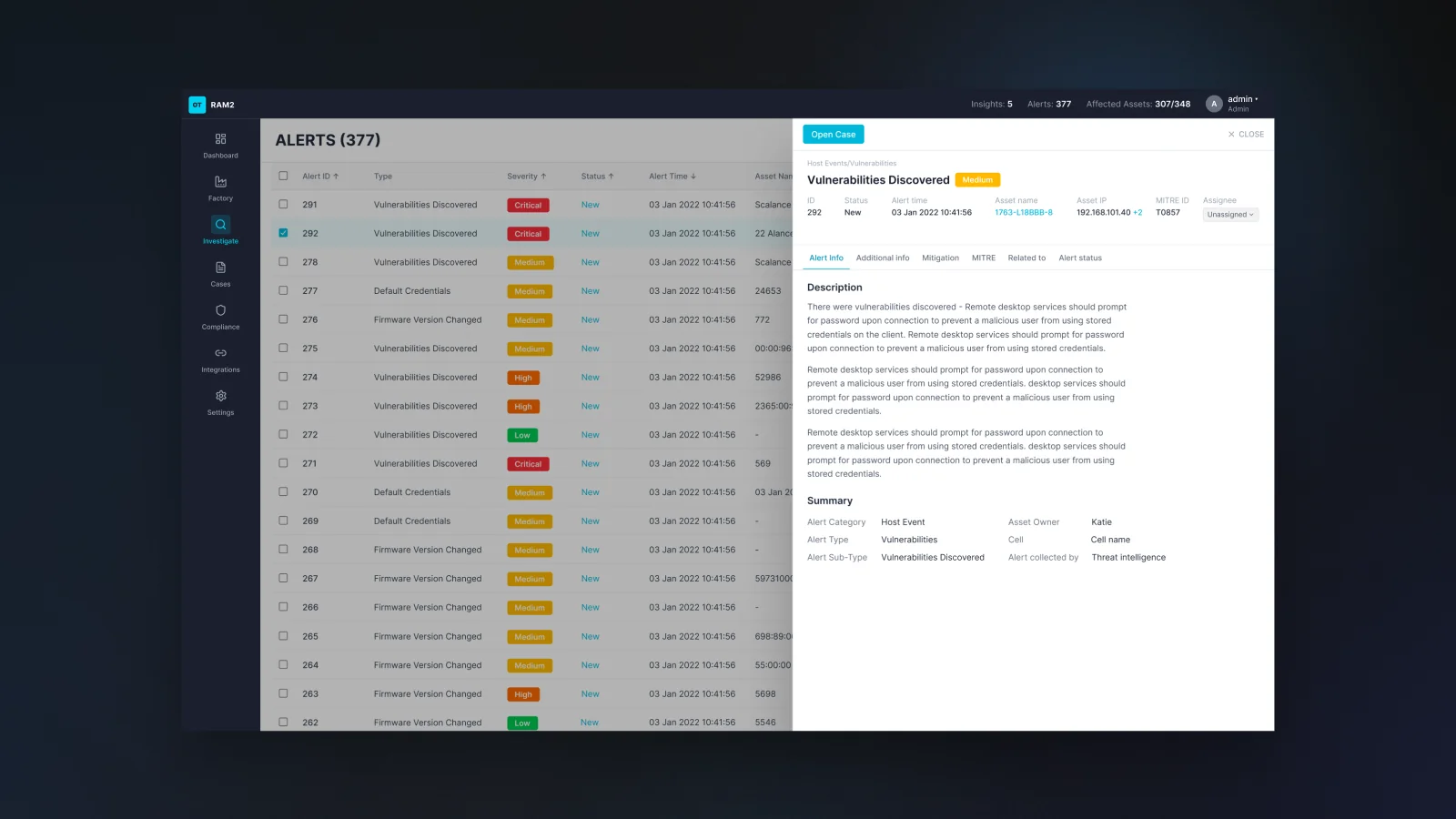
The log opens on the last 7 days, with five primary filters.
Asset and connector as a second layer.
Primary filters
TimestampWhen?
Last 7 days
Range selector
UserWho was active?
List of users
CategoryWhich system component / domain?
e.g.
Asset management
User management
TypeWhat type of action?
e.g.
Add asset
Edit connector
LevelHow significant?
Info
Warning
Error
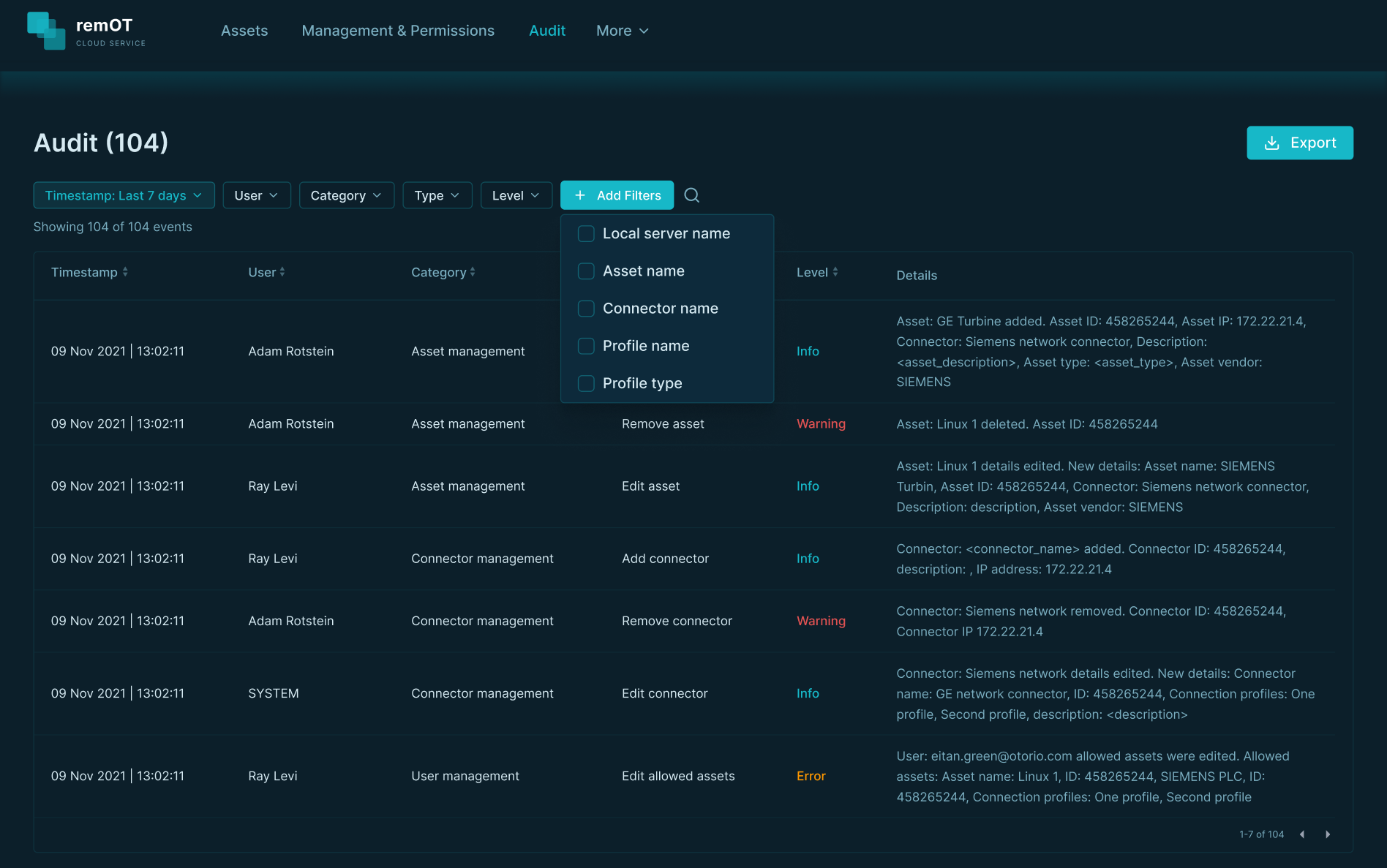
More filters on demand: local server, asset, connector.
Asset name filter applied: 104 → 5Active chips stay visible throughout
Why it works:
Five filters by default, easy to understand
More available on demand. The trail never disappears
💡 Easy by default, complete on demand.
Compliance delivery needs to be frictionless
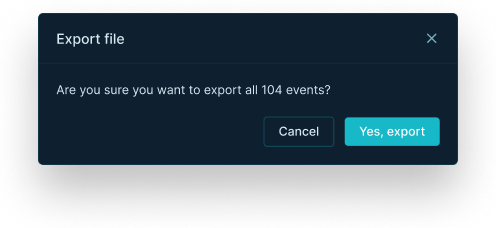
One confirmation modal, no reconfiguration.
Export for the auditor in one confirmation, no reconfiguration.
Results
🧭Mapped the upgrade process with Dev and DevOps
A software upgrade of the remote access product was cumbersome: it took several days and required development time. Mapping the flow with the developers and DevOps showed what was broken in it, which had not been clear until then.
🔧Designed so an upgrade needs no developer
The design lets the Operations person, who keeps each site's systems up to date, run an upgrade alone, remotely.Every step shows what is happening, so there is no need to call anyone.
📋Designed to give the auditor proof from one screen
Before, there was no way to see who accessed what, and when, or to prove it to an auditor. The design lets the Site Manager, who oversees several sites, find the event and export the record as proof from one screen.
🛡️Designed for certainty within the system's limits
The aim was that the user is never left uncertain: what is updated, what needs an update, and how long it will take. A time estimate was hard to give, and the design works within what the system can show.
What I learned
In operational systems, error states aren't edge cases, they're the main event.
A user running a remote upgrade on an air-gapped factory needs to know exactly what failed and why. That was one of the first things I designed, not the last.